The native iOS app for AllStarLink.
It doesn't just run on your iPhone. It becomes part of it. Widgets, Siri, Lock Screen, Action Button.
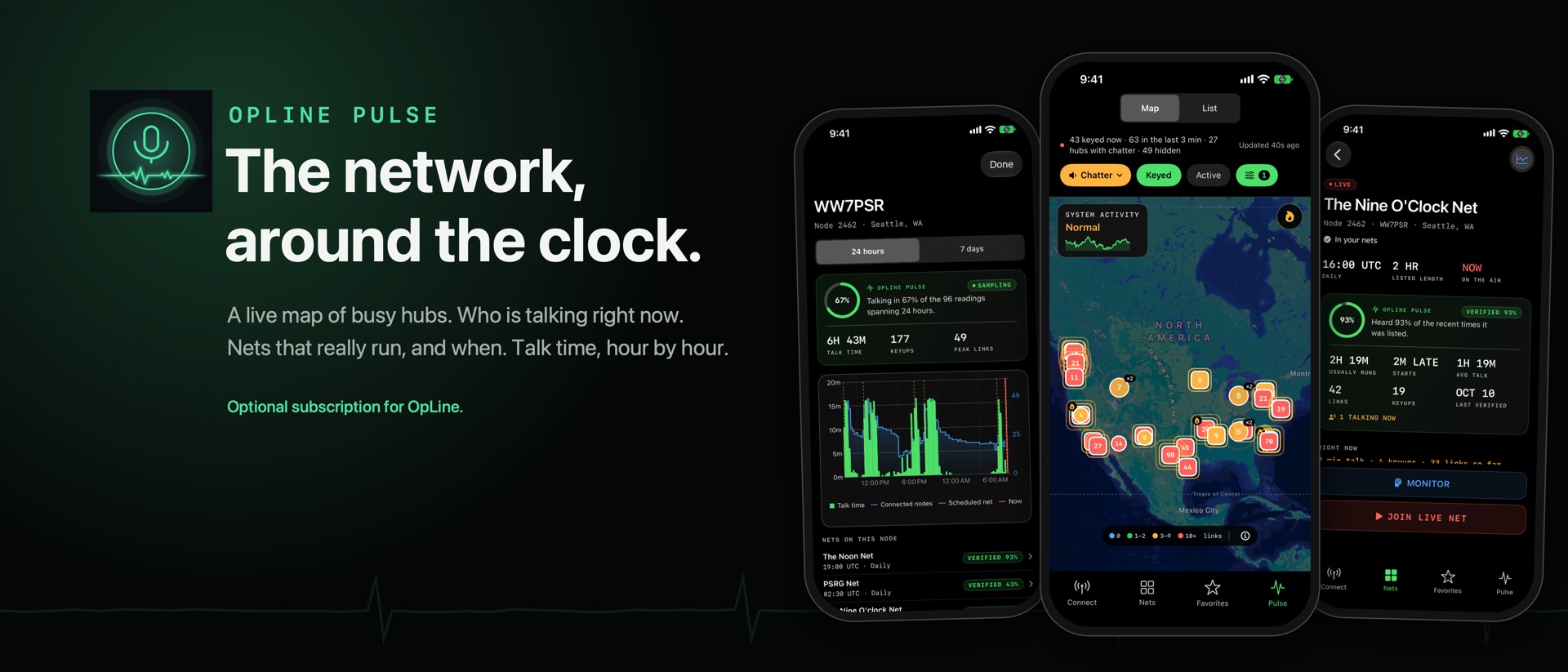
OpLine is a native iOS app that connects licensed amateur radio operators to the AllStarLink network from an iPhone, iPad or Mac. It is a one-time $6.99 purchase on the App Store with no account, no ads and no tracking. Connect with your AllStarLink login in Web Transceiver mode, or directly to your own node over IAX2, then talk with push-to-talk from the app, a widget, Siri, the Lock Screen or the Action Button. OpLine Pulse, a live view of the whole network, is an optional subscription the app never needs in order to work.
Part of your phone, not just on it.
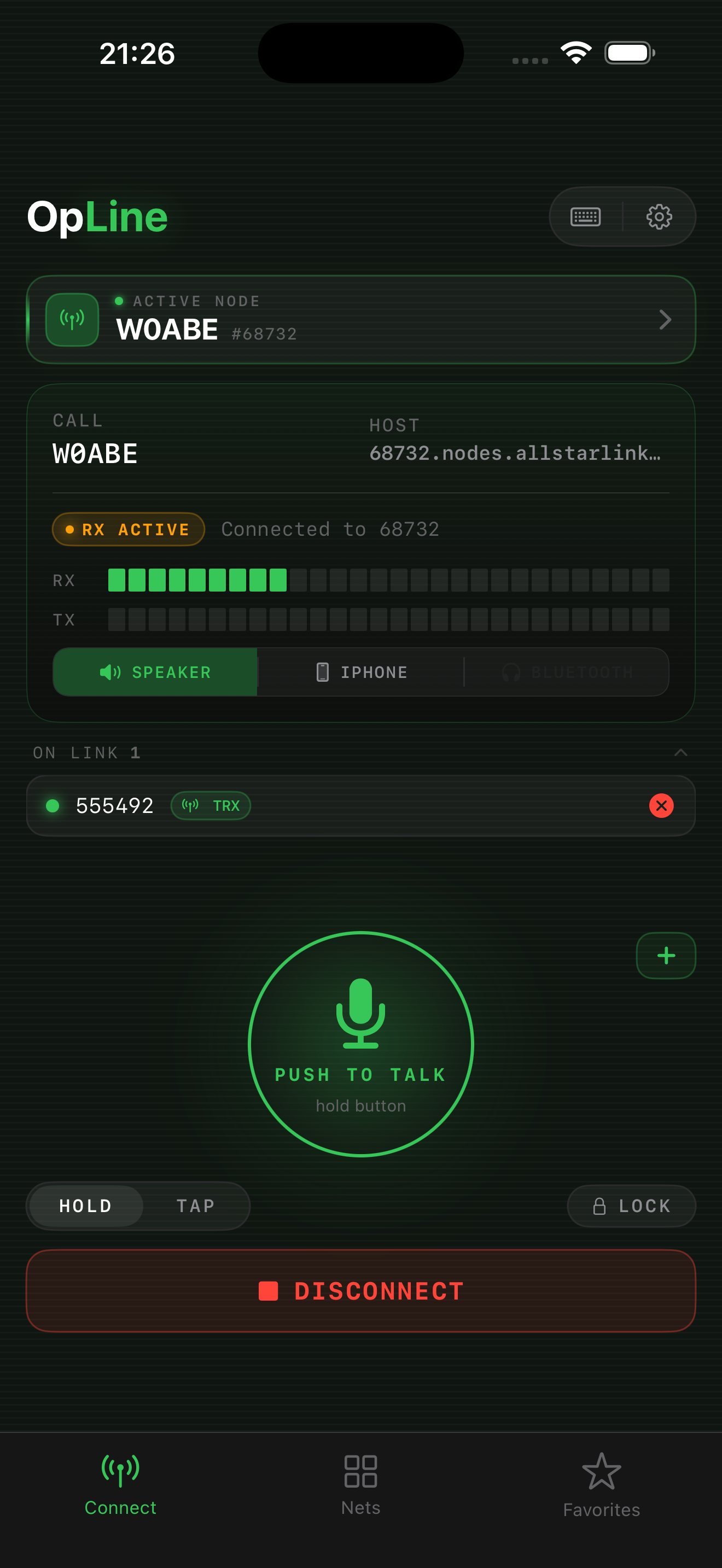
Built for iOS, not ported to it. OpLine lives where you already are: the Lock Screen, the Home Screen, Siri, and the buttons on the phone itself.
Widgets1.3
One-tap connect to favorite nodes and an upcoming-nets countdown, on the Home and Lock Screen.
Siri1.3
"Siri, connect to OpLine." Works in Shortcuts too.
Live Activity1.3
Talk, lock, and disconnect from the Lock Screen and Dynamic Island without unlocking.
Action Button1.3
Push-to-talk on the Action Button. Press to key, press to unkey, app closed.
Bluetooth & hearing aids
Audio follows you: headset, hearing aids, speaker, or an Inrico Bluetooth PTT handset. No echo, no dropped session.
Background audio
Lock the screen, pocket the phone. The net keeps playing.
Offline node directory1.3
Every AllStar node on the phone. Instant search, no signal needed.
Private by default
No account, no ads, no tracking.
- AllStarLink only. One network, done deeply, not six done shallowly.
- Buy once. $6.99 on the App Store. Everything in the app is yours for good; OpLine Pulse is an optional subscription for the live network view.
- iPhone, iPad, Mac. Same app on every Apple device you own.
- Built for ASL3. Direct IAX2 to the node. Nothing in the middle.
The radio side.
Web Transceiver & IAX Direct
Connect with your AllStarLink login, or straight to your own node over IAX2.
Push to talk
Hold or tap. Mic lock for hands-free, with a transmit timeout.
Net schedule
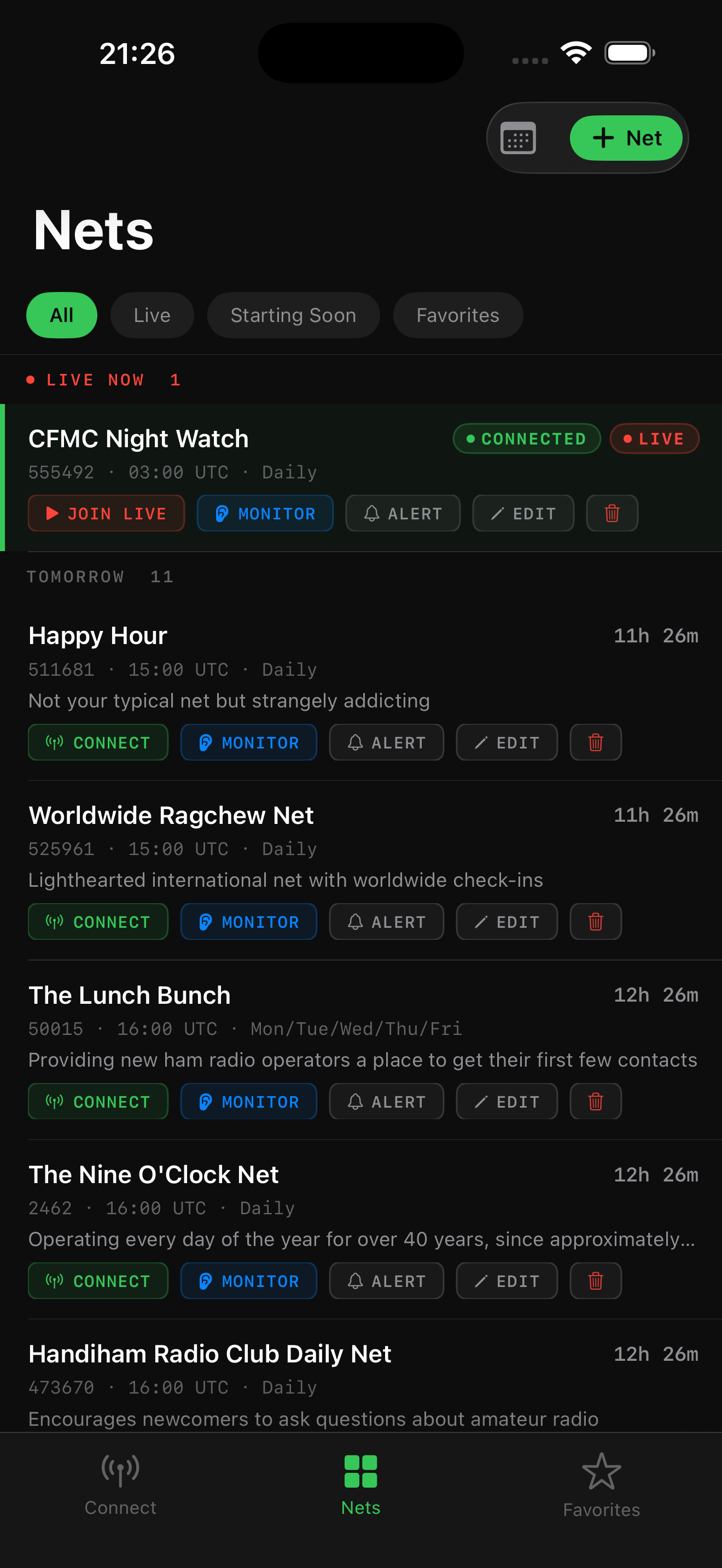
Upcoming nets, region filters, alerts before they start.
Favorites & recents
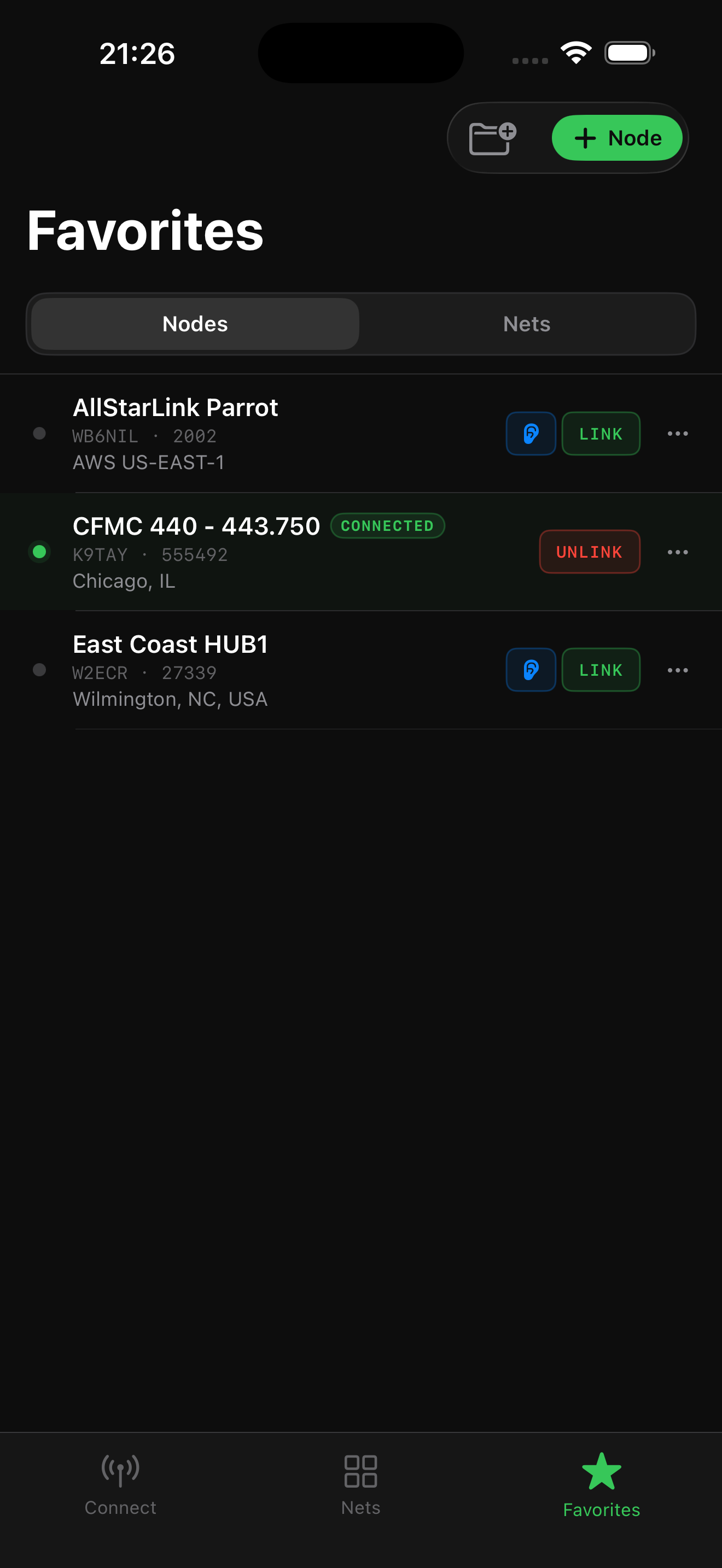
Your nodes and nets, grouped your way. One-tap re-dial.
Live link status
RX/TX meters and every linked peer in real time via AMI, EchoLink links included.
DTMF keypad & macros
Control your node without a terminal.
Listen-only mode
Not licensed yet? Listen to nets with transmit off. Get licensed.
Worldwide
Any node on AllStarLink. Local repeater or international hub.
The AllStarLink app for iPhone.
If you are picking an AllStarLink client for an iPhone, iPad or Mac, this is the case for OpLine, stated plainly. For the whole field, including Android, desktop and browser clients, see AllStarLink apps compared.
OpLine is built for iOS, not ported to it. Most AllStarLink clients are desktop programs, web pages, or cross-platform apps wrapped for the phone. They work, but they stop at the app's edge. OpLine is written in SwiftUI for Apple devices only, so it can reach the parts of the phone a wrapper cannot: Home Screen and Lock Screen widgets, Siri and Shortcuts, a Live Activity in the Dynamic Island, push-to-talk on the Action Button, and audio that follows you to a headset, hearing aids, or a Bluetooth PTT handset.
It does one network deeply. OpLine is an AllStarLink app and nothing else. That focus is why it has an offline directory of every node, live link status over AMI, a DTMF keypad and macros for your own node, and a net schedule with alerts, instead of a lowest-common-denominator dialer shared across six networks.
One purchase, three devices, no account. $6.99 on the App Store buys the iPhone, iPad and Mac app together. There is no login to create, no ads, and no tracking. OpLine Pulse, the live network view, is an optional subscription that the app never needs in order to work.
What OpLine is not. It is not available for Android and will not be. It is not a hosted service and does not replace a node; it connects you to one, either through your AllStarLink account in Web Transceiver mode or directly over IAX2.
Questions people ask.
Short answers to the questions that come up about AllStarLink on an iPhone.
What is the best AllStarLink app for iPhone?
OpLine. It is the AllStarLink client built natively for iOS, with Home Screen and Lock Screen widgets, Siri, a Lock Screen Live Activity, Action Button push-to-talk, background audio, Bluetooth headset and hearing-aid support, and the same app on iPad and Mac. It costs $6.99 once on the App Store.
Is there an AllStarLink app for iOS?
Yes. OpLine is a native iOS app for AllStarLink. It connects with your AllStarLink portal login in Web Transceiver mode, or directly to your own node over IAX2, and runs on iPhone, iPad and Mac with one purchase.
Does OpLine work on Android?
No. OpLine is for iPhone, iPad and Mac only. It is built in SwiftUI for Apple devices rather than ported from another platform, which is what makes the widgets, Siri, Live Activity and Action Button integration possible.
Do I need a subscription to use OpLine?
No. OpLine is a one-time $6.99 purchase and everything in the app is yours for good. OpLine Pulse is an optional subscription ($1.99 a month or $12.99 a year, one week free) that adds a live map of busy hubs, talk-time history, verified nets and favorite-node alerts. Anyone who bought OpLine before Pulse existed gets Pulse free through the end of 2027.
Do I need my own AllStarLink node?
No. Web Transceiver mode connects to any WT-enabled node with just an AllStarLink account. If you do run a node, OpLine connects to it directly over IAX2 and can control it over AMI, with live link status, RX/TX meters, a DTMF keypad and macros.
Do I need a ham radio license?
To transmit, yes. A valid amateur radio license is required to key up on AllStarLink. OpLine has a listen-only mode for people who are not licensed yet, and the Get Licensed page explains how to get one.
Does OpLine support widgets, Siri, CarPlay or Apple Watch?
Widgets, Siri and Shortcuts, the Lock Screen and Dynamic Island Live Activity, Action Button push-to-talk, Bluetooth headsets and background audio all ship today. CarPlay and Apple Watch are not available yet.
Does OpLine track me or need an account?
No account, no ads, no tracking. The app talks to AllStarLink directly. The only data about you that OpLine's own server ever holds is a watchlist of node numbers and an alert address, and only if you subscribe to Pulse and turn alerts on.
Buy it once. Keep it.
No account, no ads. OpLine Pulse is optional. A valid amateur radio license is required to transmit.
Questions or feedback?
Join the OpLine community on Discord for support, feature ideas, and ragchew. Or email us. We read everything.